Connected But Exposed: What Your VPN Is Not Actually Protecting You From
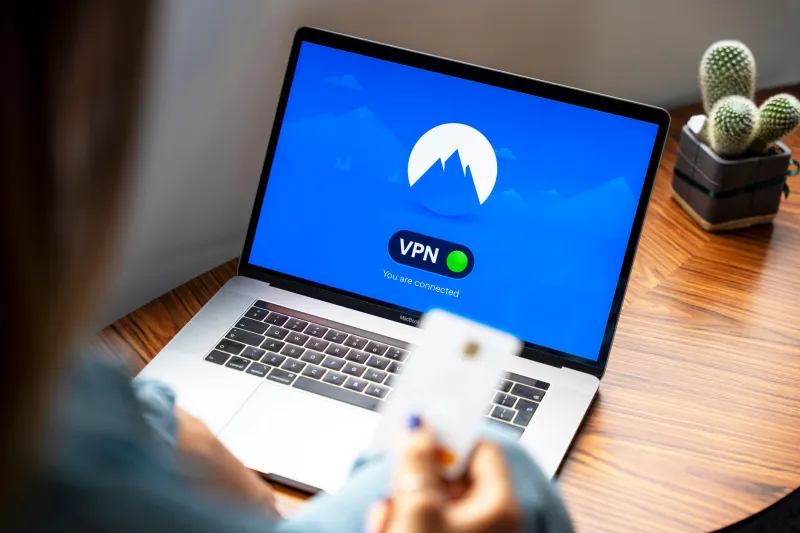
The marketing language surrounding VPN services has long operated in the territory of the absolute. Words like invisible, anonymous, and untraceable appear with such frequency in the industry that they have come to feel like guarantees. For millions of users across the United States, activating a VPN before browsing, streaming, or communicating carries with it a sense of complete protection — a digital cloak that renders them invisible to advertisers, surveillance systems, and malicious actors alike.
That sense of security is, in many important respects, a carefully constructed illusion.
This is not an argument against VPNs. Used correctly and with clear expectations, a quality VPN remains one of the most meaningful tools available to privacy-conscious individuals. The problem is not the technology itself — it is the gap between what VPNs are technically capable of and what users have been led to believe they accomplish. Closing that gap requires an honest examination of the architecture, the vulnerabilities, and the behaviors that undermine the protection many assume they already have.
What a VPN Actually Does
At its most fundamental level, a VPN — a virtual private network — creates an encrypted tunnel between your device and a remote server operated by the VPN provider. Traffic traveling through that tunnel is shielded from interception by your internet service provider, network administrators, and anyone monitoring the connection between your device and the wider internet. Additionally, websites and services you visit will see the IP address of the VPN server rather than your actual IP address.
These are genuine and meaningful protections. For someone connecting to public Wi-Fi at an airport or coffee shop, a VPN prevents eavesdropping on unencrypted traffic. For someone wishing to prevent their ISP from logging their browsing activity — a practice that became commercially permissible in the United States after the rollback of FCC broadband privacy rules in 2017 — a VPN is a direct countermeasure. For someone seeking to access content restricted by geographic region, IP masking serves that purpose effectively.
What a VPN does not do is protect your identity. These are two distinct concepts that the industry has spent considerable effort conflating.
The Identity Problem
IP address masking is a narrow form of protection. Your IP address is one data point among dozens — sometimes hundreds — that websites, advertisers, and data brokers use to identify and track you. Even with a VPN active, your browser fingerprint remains intact. The unique combination of your browser version, installed fonts, screen resolution, time zone, language settings, and hardware configuration creates a profile that is statistically distinctive enough to identify you across sessions without any cookies or login credentials involved.
Beyond fingerprinting, account-based identification operates entirely outside the scope of what a VPN can address. If you log into Google, Facebook, your bank, or any other service while connected to a VPN, those platforms know precisely who you are. Your behavioral patterns, your search history within their ecosystems, and your account metadata are all recorded regardless of which IP address the connection originates from. The VPN has masked your location from the platform; it has done nothing to mask your identity.
This distinction matters enormously. The majority of surveillance-based data collection in the modern internet economy does not rely on IP addresses at all. It relies on persistent identifiers tied to accounts, devices, and behaviors — none of which a VPN disrupts.
DNS Leaks: The Hole You Cannot See
Even users who understand the identity limitation often assume their network-level activity remains private. In practice, a technical vulnerability known as a DNS leak frequently undermines even this narrower protection.
When you type a web address into your browser, a Domain Name System query translates that human-readable address into a numeric IP address. Under normal circumstances, your ISP's DNS servers handle this translation, which means your provider can log every domain you attempt to visit. A properly configured VPN routes these DNS queries through its own servers, preventing ISP visibility.
However, on Windows systems in particular, the operating system may send DNS requests through the default system pathway rather than through the VPN tunnel — especially during brief connection interruptions, at startup, or in certain network configurations. The result is that your ISP receives a complete record of the domains you visit despite the presence of an active VPN connection. The tunnel is intact; the DNS queries are traveling around it.
Verifying whether your VPN suffers from DNS leaks is straightforward. Services such as dnsleaktest.com and ipleak.net display which DNS servers are resolving your queries in real time. If the results show servers belonging to your ISP rather than your VPN provider, your browsing activity is being logged at the domain level regardless of your VPN status.
WebRTC and the Browser Backdoor
A second technical vulnerability, less widely discussed but equally significant, involves a browser communication protocol called WebRTC. Designed to enable real-time features such as video calls, voice chat, and peer-to-peer file sharing directly within a browser, WebRTC requires the exchange of IP address information between communicating parties. Critically, it accomplishes this by querying the device for its actual network interfaces — and in doing so, it can expose your real IP address even when a VPN is active.
This is not a theoretical concern. Demonstrated reliably since at least 2015, WebRTC leaks affect Chrome, Firefox, and other Chromium-based browsers by default. A website running a simple JavaScript routine can retrieve your true IP address and use it to identify your geographic location, correlate your activity with other data sources, or simply log the information for future use — all while your VPN connection appears to be functioning normally.
Mitigating WebRTC leaks requires either disabling the protocol within browser settings, installing a browser extension designed to suppress it, or using a browser that has disabled WebRTC by default. The critical point is that this mitigation must be applied at the browser level; the VPN itself cannot address it.
Verifying What You Have, Not What You Were Sold
The appropriate response to these vulnerabilities is not to abandon VPN usage but to verify it. Trust in a VPN should be earned through testing, not extended on the basis of marketing claims.
A baseline verification process should include the following steps. First, confirm your apparent IP address before and after connecting to the VPN using a service such as whatismyipaddress.com. Second, run a DNS leak test while connected to confirm that DNS queries are routing through VPN-controlled servers. Third, test for WebRTC leaks using a dedicated tool such as browserleaks.com/webrtc, and apply the appropriate browser-level fix if a leak is detected. Fourth, confirm that your VPN client includes a kill switch — a feature that terminates your internet connection if the VPN tunnel drops unexpectedly, preventing the brief exposure that occurs during reconnection.
Beyond technical testing, the privacy policy of your VPN provider warrants careful reading. Providers that log connection timestamps, session durations, or bandwidth usage retain data that can, under legal compulsion or breach conditions, be used to reconstruct your activity. A no-logs policy that has been independently audited carries substantially more weight than one that exists only as a marketing claim.
Honest Tools for Honest Expectations
The VPN industry has a credibility problem of its own making. Years of overclaimed protection have left users with a distorted picture of what the technology can deliver, and that distortion has real consequences. Users who believe themselves fully protected are less likely to take the additional steps — browser hardening, account separation, fingerprinting resistance — that genuine privacy requires.
A VPN is a component of a privacy architecture, not the architecture itself. It addresses specific and legitimate threats: ISP surveillance, network-level eavesdropping, and IP-based geographic identification. It does not address identity-based tracking, browser fingerprinting, account-linked behavioral profiling, DNS leaks if improperly configured, or WebRTC-based IP exposure if unmitigated.
Knowing the difference is not a reason for disappointment. It is the foundation of actually staying private.