The Devices That Never Stop Talking: A Room-by-Room Privacy Audit of Your Connected Home
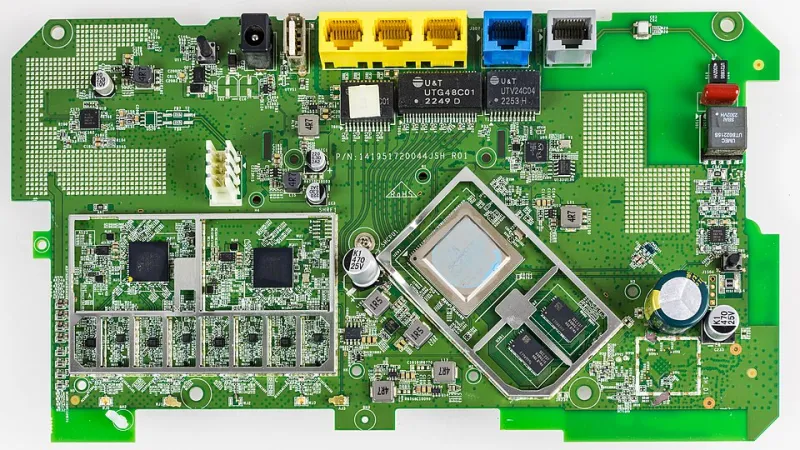
Photo: Raimond Spekking, CC BY-SA 4.0, via Wikimedia Commons
The American smart home has arrived quietly and comprehensively. According to industry research, the average U.S. household now contains more than twenty connected devices. Most were purchased for their convenience—a thermostat that learns your schedule, a doorbell that shows who is at the door, a speaker that answers questions without requiring you to touch a screen. Few were purchased with a clear understanding of what they transmit, to whom, and under what circumstances.
The answer to those questions is, in most cases, more than you would expect.
What follows is a room-by-room examination of the most common connected devices found in American homes, an honest account of what data each one collects, and concrete steps you can take to reduce your exposure without necessarily throwing the device in the trash.
The Living Room: Smart Speakers and Smart TVs
Smart Speakers
Devices like the Amazon Echo and Google Nest are designed to listen continuously for a wake word. The companies that manufacture them maintain, accurately, that audio is not recorded or transmitted until that word is detected. What they are less forthcoming about is the error rate. Accidental activations occur regularly, and when they do, audio snippets are transmitted to company servers for processing.
Beyond accidental recordings, these devices collect extensive metadata: the time and nature of every command, your location, your preferences, and your household patterns. This information feeds advertising profiles that extend well beyond the device itself.
What you can do:
- Physically mute the microphone when the device is not in use. Most smart speakers include a hardware mute button that disconnects the microphone at the circuit level—this is meaningfully different from a software mute.
- Review and delete your voice history regularly through the associated app. Amazon and Google both provide this option, though neither makes it prominently visible.
- Disable the feature that allows the device to be used as a reference point for location-based advertising.
- Consider whether a dedicated smart speaker is necessary at all. A smartphone with voice assistance disabled performs many of the same functions with fewer persistent microphones in the room.
Smart TVs
Most modern televisions—regardless of brand—include a technology called Automatic Content Recognition (ACR). ACR captures images of whatever is displayed on screen at regular intervals and transmits that data to the manufacturer and affiliated third parties. The purpose is to build a detailed profile of your viewing habits, which is then sold to advertisers.
What you can do:
- Locate the ACR setting in your TV's privacy menu. It is typically labeled "Viewing Data," "SambaSafety," "Live Plus," or a brand-specific name. Disable it.
- Disable the built-in operating system's advertising ID, which functions similarly to the tracking identifier on a smartphone.
- If you use a streaming device like a Roku or Fire TV Stick, apply the same audit to that device separately—it maintains its own data collection systems independent of the television.
The Kitchen: Smart Appliances and Displays
The connected kitchen has expanded rapidly. Smart refrigerators, ovens, and coffee makers now offer app integration, voice control, and remote monitoring. The data collection associated with these devices is less intensive than a smart speaker but not negligible.
Smart displays—tablet-sized devices that combine a screen with a smart speaker—are particularly worth scrutinizing. They include both a microphone and a camera, making them among the most comprehensive data collection endpoints in any room.
What you can do:
- Position smart displays away from areas where sensitive conversations occur.
- Use the physical camera cover if one is included, or apply an opaque sticker when the camera is not needed.
- Audit which third-party skills or applications have been granted access to the device and revoke permissions for any you do not actively use.
The Front Door and Exterior: Video Doorbells and Security Cameras
Video doorbells—most prominently Ring, owned by Amazon—have become fixtures on American residential streets. They are also among the most privacy-sensitive devices available to consumers, for reasons that extend beyond the obvious.
Ring has a documented history of sharing footage with law enforcement agencies without requiring a warrant, a practice that persisted until regulatory pressure forced policy changes. Even with revised policies in place, footage stored on company servers remains accessible to the company, subject to legal process, and vulnerable to breach.
What you can do:
- Disable cloud storage and use only local storage if your device supports it. Some camera systems allow footage to be written to a local hard drive or NAS device rather than a corporate server.
- Review and restrict law enforcement data request settings within the app.
- Ensure the camera's field of view does not extend significantly into public sidewalks or neighboring properties—beyond the privacy implications for others, this can create legal exposure in certain states.
- Evaluate whether a non-cloud-dependent camera system, such as one running open-source firmware, better aligns with your privacy requirements.
The Bedroom: Fitness Trackers and Sleep Monitors
Wearable devices and bedside sleep monitors collect some of the most intimate data any consumer product generates: heart rate variability, sleep stages, movement patterns, and in some cases, blood oxygen levels. This data is typically stored on corporate servers and governed by privacy policies that permit its use for research, product development, and in some cases, sale to third parties.
In the United States, health data collected by consumer devices is not covered by HIPAA unless it is collected by a covered healthcare entity. A fitness tracker manufacturer is under no federal obligation to treat your biometric data with the same protections your doctor is required to apply.
What you can do:
- Read the privacy policy of any wearable device before purchasing it, specifically looking for language about data sharing with third parties and data retention timelines.
- Disable any optional data sharing features within the companion app.
- Consider whether a device that stores data locally—or one that allows you to export and delete your data at will—is available in the category you need.
The Network Level: The One Audit That Covers Everything
Individual device settings matter, but they address symptoms rather than the underlying condition. Every device in your home connects through your router, and the router is where comprehensive visibility lives.
A privacy-focused DNS resolver, such as one that blocks known tracking and advertising domains, reduces the volume of data your devices successfully transmit even when their own settings permit it. A VPN configured at the router level encrypts traffic from every connected device simultaneously, preventing your internet service provider from building a profile of your household's activity based on destination data.
Regularly auditing which devices are connected to your network—and removing or isolating those you no longer use or recognize—is one of the highest-value privacy actions available to any homeowner.
The Honest Assessment
None of this requires abandoning connected technology entirely. Smart home devices offer genuine utility, and for many households, that utility is worth something. The goal is not zero data collection—that is not achievable with commercially available products—but informed, deliberate choices about which trade-offs you are willing to accept.
The device that listens in your kitchen, the camera that watches your front door, and the tracker that monitors your sleep are not neutral appliances. They are endpoints in a commercial data ecosystem that was designed around your behavior long before you brought them home. Understanding that clearly is the first step toward deciding, on your own terms, how much access you are willing to grant.